
Quick Start Guide
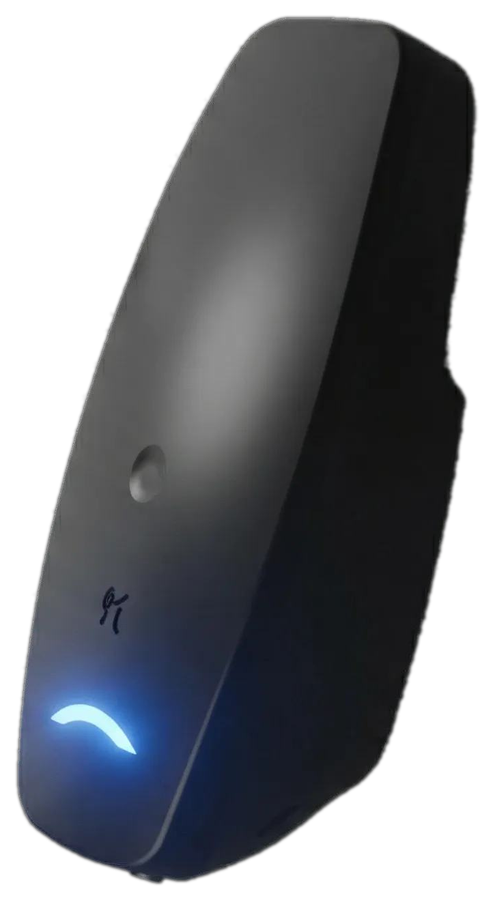
Unbox & Charge
Remove the Rysflo device from the box. Place it in the charging dock and connect the dock cable to a USB power adapter (5 V, 2 A). Fully charge the device before first use — this takes a couple of hours. The dock's Red Dot indicator turns off once charging is complete.
Install the Rysflo App
Scan the QR code on the Welcome Card (included in the box) to download the Rysflo mobile app. Create your account and make sure Bluetooth is enabled on your phone.
Power On & Connect
Press the power button once (short press) — a solid Blue LED confirms the device is ON. Open the Rysflo app and select your Rysflo from the list to connect. The LED blinks green twice, then turns solid green once connected.
Get Ready
Sit in one place and relax for 5–10 minutes before starting. Perform the test indoors, in a clean, well-ventilated space.
Take Your First Breath Test
Follow the breathing instructions shown in the app, then exhale steadily into the device as guided. Keep the device steady during the measurement and make sure the air exhaust vent is not blocked.
View Your Results
Wait for the measurement to finish. Your breath biomarker results and wellness insights appear in the Rysflo app.
LED Quick Reference
| LED Color | Behavior | Meaning |
|---|---|---|
| Blue | Solid | Device is powered ON |
| Green | Blink twice, then solid | Connected to the Rysflo app |
| Blue | Solid | Breath measurement in progress |
| Blue | Breathing (pulsing) | Charging in progress |
| Green | Solid | Fully charged |
| Red | Breathing (slow fade) | Battery low — charge soon |
For the complete LED and battery status guide, see the full user's manual.
Before You Begin
Need more detail?
This guide covers the basics. For complete setup, safety warnings, and troubleshooting, see the full user's manual. Support: connect@rysflo.com